
Google Performance Max has gone from being one of the most controversial campaign types in paid search to one of the most widely used. And the gap between advertisers who are getting strong results from it and those who are not is rarely about budget. It is almost always about how the campaign has been set up and how well it is being managed.
This guide covers everything that actually matters when it comes to Performance Max optimisation in 2026: the foundations that need to be right before anything else, the levers that give you meaningful control, the reporting that tells you what is really happening, and the mistakes that consistently undermine otherwise well-structured accounts. Whether you are running PMax for the first time or auditing a campaign that is not performing as expected, this is the complete picture.
For context on how PMax fits alongside your broader paid search activity, our post on how SEO and PPC work together is worth reading alongside this guide.
What Is Google Performance Max and How Does It Work?
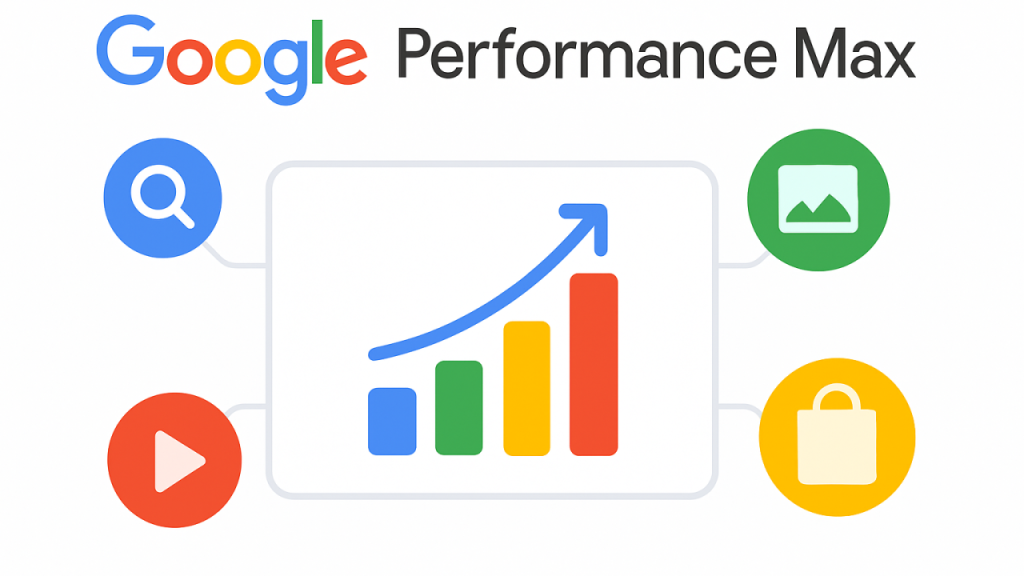
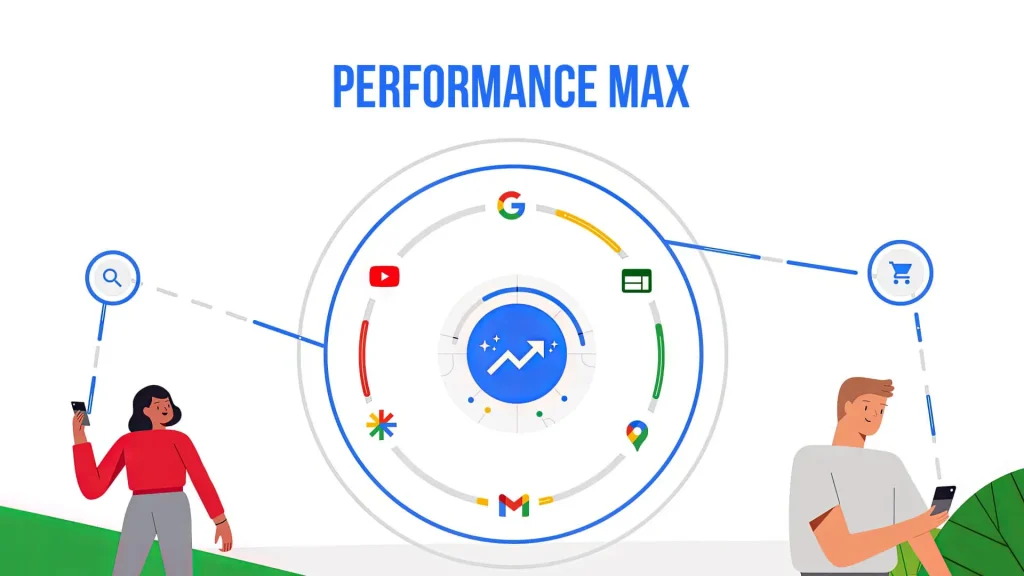
Performance Max is a goal-based campaign type that runs across all of Google’s advertising inventory – Search, Shopping, YouTube, Display, Discover, Gmail and Maps, from a single campaign. Rather than requiring separate campaigns for each channel, you provide creative assets, conversion goals and audience signals, and Google’s machine learning determines where, when and how to show your ads to maximise conversions or conversion value.
The core mechanism is automation. Performance Max uses Smart Bidding, which means there is no manual CPC option. Instead, you choose between Maximise Conversions (with an optional target CPA) or Maximise Conversion Value (with an optional target ROAS). The algorithm then optimises bids, placements and creative combinations in real time, processing more than 100 signals per auction including device, location, time of day, browsing behaviour and search intent.
What makes PMax distinct from other campaign types is that it is simultaneously the most powerful and the least transparent tool available in Google Ads. When it works well, it finds converting audiences and query patterns that a human-managed search campaign would never identify. When it is poorly set up, it burns budget on irrelevant placements with no clear indication of where the problem lies.
Understanding this tension is the starting point for optimising it effectively.
When PMax Works Well and When It Doesn’t
Performance Max is not the right choice for every account, and being honest about this is more useful than treating it as a universal solution.
PMax works well when:
- The account has strong conversion tracking in place, with at least 30 to 50 conversions per month to give the algorithm enough data to optimise against
- The advertiser has clear conversion goals that map to real business outcomes, not soft signals like page views
- There is an existing library of quality creative assets, including images, headlines and ideally video
- The campaign is complementing existing Search campaigns rather than replacing them
- The product or service has broad enough demand to benefit from cross-channel reach
PMax works less well when:
- The account is new and has little or no conversion history – the algorithm has nothing to learn from
- Conversion tracking is incomplete or inaccurate – PMax will optimise towards whatever you tell it to measure, even if that signal is meaningless
- The advertiser needs granular keyword-level control, for example in highly regulated sectors or where specific query exclusions are essential
- The creative assets are thin – two headlines and one image give the algorithm almost nothing to work with
- The business is highly seasonal and the campaign does not have enough data within the active period to reach the end of its learning phase
For smaller accounts where budget is limited and conversion volume is low, a well-structured Google Ads search campaign with tight keyword targeting will frequently outperform PMax. The algorithm needs data to work, and without it, the automation defaults to the easiest conversions available – which are usually brand terms and remarketing, not new customer acquisition.
The Foundation: Conversion Tracking and Bidding Strategy
No amount of asset optimisation, audience signal refinement or search theme adjustment will fix a Performance Max campaign with broken or misconfigured conversion tracking. This is the foundation on which everything else is built, and it is the area most consistently overlooked in accounts that are underperforming.
Conversion tracking requirements for PMax:
- All primary conversion actions must track real business outcomes: purchases, form submissions, phone calls, qualified leads. Micro-conversions like page views or time on site should not be primary conversion actions in a PMax campaign unless the account is genuinely early-stage and has no other data available
- Enhanced conversions should be implemented where possible, passing hashed first-party data back to Google to improve measurement accuracy, particularly in a post-cookie environment
- GA4 should be linked to the Google Ads account and key GA4 conversion events should be imported into Google Ads, giving the algorithm access to a richer behavioural data set
- Offline conversion tracking is worth implementing for B2B accounts where the conversion that matters – a closed deal – happens outside the browser
PMax Bidding strategy:
Start with Maximise Conversions without a target CPA if the account or campaign is new. This allows the algorithm to gather data across its learning phase without the constraint of a target that may be unrealistic given the limited data available. Once the campaign is generating consistent conversion volume – typically after four to six weeks and a minimum of 30 to 50 conversions – introduce a target CPA or target ROAS.
Setting a target CPA or ROAS too early, before sufficient data exists, is one of the most common reasons PMax campaigns stall in or fail to exit the learning phase. The algorithm cannot optimise towards a target it does not have enough signal to hit.

How to Structure Your Asset Groups for Better Performance
An asset group in Performance Max is the equivalent of an ad group in a Search campaign. It contains the creative assets – images, headlines, descriptions, videos, logos – and the audience signals that tell the algorithm who to target. A single PMax campaign can contain up to 100 asset groups.
The principle behind good asset group structure is thematic relevance. Each asset group should represent a coherent theme: a product category, a service line, a specific audience segment, or a distinct offer.
Mixing unrelated products or services into a single asset group means the algorithm is trying to serve ads to multiple different audiences with a single set of creative assets, which produces worse results than keeping themes separate.
PMax Asset group structure best practices:
- Create separate asset groups for distinct product or service categories, not one asset group for everything
- Align the creative assets within each asset group to the theme of that group – headlines, images and the final URL should all be relevant to the same subject
- Minimise overlap between listing groups (for retail) or landing pages (for lead generation) across asset groups, so that each group has a clear and distinct territory
- For lead generation accounts, consider separate asset groups for different stages of the funnel – awareness-oriented assets for cold audiences and conversion-oriented assets for remarketing audiences
The minimum viable asset group has one landscape image, one square image, one logo, one headline and one description. The actual target is considerably more: 10 to 15 headlines, 4 to 5 descriptions, 10 or more images in multiple formats and at least one video.
More variety gives the algorithm more combinations to test and a better chance of finding what works for each placement.
Search Themes: The Most Important PMax Signal
Search themes are the single most significant development in Performance Max optimisation in recent years, and the lever that most improves the campaign’s ability to reach the right search queries.
A search theme is a keyword-like input, typically a two to four word phrase, that tells the algorithm which search intent to prioritise for a specific asset group. Each asset group supports up to 25 search themes.
They are not keywords in the traditional sense: they do not trigger exact match or phrase match queries, and they cannot be bid on individually. Instead, they provide directional guidance to the algorithm about which types of searches are relevant to the asset group.
How to use PMax search themes effectively:
- Think of search themes as capturing the core purchase intent of your ideal customer, not as an exhaustive keyword list
- Use 2 to 4 word phrases that reflect genuine search intent: “performance max management agency” covers a wider range of related queries than a single word, without being so specific that it becomes a long-tail phrase the algorithm cannot usefully extrapolate from
- Align search themes directly with the headlines and landing page content in the same asset group – thematic coherence between signal and creative produces better quality scores and more relevant placements
- Review and update search themes regularly, particularly in the first few weeks of a campaign, to reflect what the Insights tab is showing about actual search term performance
- For service businesses and B2B accounts, search themes are often more important than audience signals, because the intent expressed in a search query is a stronger predictor of conversion than demographic or interest-based targeting
The maximum of 25 search themes per asset group is a constraint worth taking seriously. Do not fill all 25 slots immediately. Start with the 10 to 15 most important themes and review performance before adding more.

Audience Signals: How to Guide the Algorithm Without Over-Restricting It
Audience signals in Performance Max are suggestions, not constraints. When you add an audience signal to an asset group, you are telling the algorithm that users who match this description are likely to convert. The algorithm will use that information as a starting point for targeting, but it will also expand beyond the signal to find additional users it believes are likely to convert based on the campaign’s conversion data.
This distinction matters because a common mistake is to treat audience signals as precise targeting – building overly restrictive signals and expecting the campaign to stay within them. PMax is designed to expand beyond signals. Trying to constrain it too tightly undermines the automation.
Effective audience signal types in order of value:
- Customer Match lists – your own first-party customer data is the highest-quality signal available. Upload current customer lists and use them as the seed for the algorithm to find similar users
- Remarketing audiences – users who have visited the site, engaged with specific pages or abandoned cart are strong signals of purchase intent
- Custom segments based on search behaviour – users who have searched for your product category, competitor brand names or related high-intent terms on Google are valuable signals for top-of-funnel reach
- In-market audiences – Google’s own classification of users who are actively researching products or services in a relevant category
- Demographic targeting – useful as a guardrail to prevent irrelevant spend, but less powerful as a positive signal than the above
Stack multiple signal types within each asset group rather than relying on a single audience type. The algorithm synthesises all signals together to build its targeting model.
Negative Keywords and Brand Exclusions: Taking Back Control
One of the most significant improvements to Performance Max in 2025 was the introduction of campaign-level negative keywords, which finally gave advertisers meaningful control over which search queries their PMax campaigns could enter the auction for.
Negative keywords in PMax
Campaign-level negative keywords can now be added directly within the campaign settings, without needing to contact Google support. Account-level negative keyword lists also apply to PMax campaigns. This is the primary mechanism for preventing wasted spend on irrelevant queries, and it should be reviewed regularly using the search term data available in the Insights tab.
The key discipline here is restraint. Performance Max is designed to find converting queries that a human-managed search campaign might never identify. Applying an aggressive negative keyword strategy too early, before the campaign has had time to learn, can choke the algorithm’s ability to discover new query patterns and effectively turns PMax into a worse version of a Search campaign.
Add negative keywords for genuinely irrelevant terms, competitors whose products you cannot fulfil, geographic exclusions, job seekers if you are running lead generation. Do not add negative keywords for broad topic areas you are nervous about but have not yet seen produce bad results.
PMax Brand exclusions
Brand exclusions prevent PMax from serving ads on brand-name searches. This is important for most accounts because PMax will default to brand queries, they are the easiest conversions available, they produce the best ROAS, and the algorithm naturally gravitates towards them. The problem is that brand traffic does not represent new customer acquisition, and crediting PMax for brand conversions inflates its apparent performance.
The correct structure is to exclude your brand from PMax and run a dedicated brand Search campaign separately. This keeps brand and non-brand performance data separate, gives you clean visibility into the incremental impact of PMax, and prevents PMax from distorting its own results by capturing traffic it did not generate.
Creative Assets: What to Upload and Why Quality Matters
Performance Max creates ads automatically by combining the assets you provide. The quality, variety and relevance of those assets directly determines the quality of the ads the algorithm can produce. Thin, low-quality assets produce thin, low-quality ads, and no amount of optimisation elsewhere in the campaign will compensate.
PMax Asset requirements and recommendations:
Headlines: provide 10 to 15 headlines across a range of lengths and angles. Include search-intent-led headlines (“Get a Free PPC Audit Today”), benefit-led headlines (“More Conversions, Less Wasted Spend”), and brand or trust-led headlines (“Google Partner Agency with 10+ Years Experience”). Each headline must be able to stand alone — combinations are generated automatically and any headline may appear with any other.
Descriptions: provide 4 to 5 descriptions that expand on the headlines without repeating them. Descriptions have more space and can address objections, highlight differentiators or include a call to action.
Images: upload at least 10 images across landscape (1.91:1), square (1:1) and portrait (4:5) formats. Use lifestyle images that show the product or service in context, not just product shots on white backgrounds. Real people in images consistently outperform abstract or decorative imagery in PMax.
Video: if you do not upload a video, Google will auto-generate one from your images and headlines. Auto-generated videos are rarely good. Upload at least one video, even a simple one, to maintain control over how your brand appears on YouTube and Display.
Logos: upload both square and landscape logo versions. These appear in Display and Discovery placements and represent your brand when no image asset is shown.
Asset strength ratings (Low, Good, Best, Pending) reflect the quality and completeness of each asset group, not overall campaign performance. A “Good” rating is not a cause for concern if the campaign is performing well. However, consistently “Low” rated assets in a high-spending asset group are worth reviewing and updating.
Channel-Level Reporting: How to Read What PMax Is Actually Doing
One of the most significant improvements to Performance Max transparency in 2025 was the introduction of channel-level reporting, which shows how budget and conversions are distributed across Search, Shopping, YouTube, Display, Discover, Gmail and Maps.
This reporting does not give keyword-level visibility; PMax is not a Search campaign and will never provide that level of detail. But it does answer one of the most important questions in any PMax audit: where is the money going, and is it going to the right places?
How to use PMax channel-level reporting:
Navigate to the Campaigns section in Google Ads, select your PMax campaign, and look for the Channel performance breakdown. This will show impressions, clicks, conversions and cost for each channel within the campaign.
Common findings that warrant action:
- Disproportionate spend on Display or YouTube with low conversion volume: this often indicates that the algorithm is defaulting to cheap impressions rather than high-intent placements. Review audience signals and consider whether the creative assets are strong enough to drive conversions from video and display
- Very low Search impression share: if the campaign is spending heavily on Display and YouTube but barely appearing in Search, the search themes and audience signals may need to be reviewed, or a dedicated Search campaign may be needed to capture high-intent queries more reliably
- High conversion volume concentrated in one channel: this can indicate that PMax is functioning primarily as a remarketing or Shopping campaign. Consider whether the other channels are adding incremental value or simply absorbing budget
The Insights tab is also worth reviewing regularly. Search category data shows which groups of queries are triggering the campaign. Audience segment data shows which audience types are converting. Neither is as granular as a traditional search term report, but both provide enough information to identify optimisation opportunities.

PMax and Search Campaigns: How to Run Both Without Cannibalising Results
The relationship between Performance Max and Search campaigns is one of the most frequently misunderstood aspects of running PMax in a real account. The short answer is that you should almost always run both, and you need to understand how Google prioritises between them to manage the interaction effectively.
Google’s priority rules:
When a user’s search query matches an exact match keyword in a Search campaign and the same query could trigger PMax, Google will prioritise the Search campaign. For broad match keywords in Search campaigns, Google prioritises whichever campaign has the higher Ad Rank. This means that PMax can and does compete with broad match Search campaigns, and in practice will often win, particularly if PMax has a higher ROAS history.
The recommended structure for most accounts:
Keep exact match keywords for your highest-value, highest-intent queries in a dedicated Search campaign. This ensures that the most important searches always trigger the most controlled, most optimised ad experience. Use PMax to capture everything else, the queries you have not yet identified, the users who are not yet in your remarketing list, the cross-channel reach that a Search campaign alone cannot deliver.
Exclude your brand from PMax and run brand search separately, as noted in the negative keywords section. This keeps performance data clean and prevents PMax from inflating its results with brand traffic.
Review Search campaign performance after launching PMax. If a keyword that was previously performing well in Search suddenly drops in impression share, PMax may be cannibalising it. The solution is to add the keyword to a Search campaign as exact match, which will take priority over PMax for that specific query.
For more on how paid and organic search interact, our post on how SEO and PPC work together covers the full picture.
Common PMax Mistakes and How to Avoid Them
The most common Performance Max mistakes follow consistent patterns across accounts. Recognising them is the fastest route to improving a campaign that is not performing as expected.
Setting targets before the algorithm has enough data
Introducing a target CPA or ROAS before the campaign has 30 to 50 conversions causes the algorithm to restrict delivery aggressively in pursuit of a target it cannot reliably hit. Start with Maximise Conversions, let the data accumulate, then introduce targets.
One asset group for everything
A single asset group with mixed products, services or audiences gives the algorithm no thematic structure to work with. The creative assets cannot be relevant to every possible query, and the audience signals cannot accurately represent every possible customer. Separate asset groups by theme.
Over-optimising with negative keywords
Applying broad negative keyword exclusions early in a PMax campaign prevents the algorithm from discovering new converting queries. Add negatives for genuinely irrelevant terms, not for topics you are unsure about.
Not uploading video
Auto-generated videos from Google are rarely brand-appropriate. Upload at least one video to maintain control over how your brand appears on YouTube and Discovery.
Tracking soft conversions as primary goals
If PMax is optimising towards page views, session duration or newsletter sign-ups rather than purchases, leads or revenue-generating actions, the algorithm will deliver more of whatever you tell it to value – regardless of whether it has any commercial relevance.
Not excluding brand terms
PMax will default to brand queries because they convert easily. If brand is not excluded, PMax’s ROAS looks impressive, but it is largely measuring traffic that would have converted anyway.
Giving up during the learning phase
PMax campaigns typically require four to six weeks to exit the learning phase. Making significant changes to assets, bidding or targeting during this period resets the learning phase and prevents the algorithm from reaching stable performance. Set the campaign up correctly, fund it adequately, and give it time.
How Arise Manages Google Performance Max for Clients
At Arise, we manage Google Ads and Performance Max campaigns for businesses across Sheffield and beyond, as a certified Google Partner with over ten years of experience in paid search.
Our approach to PMax is built around the same principles covered in this guide: accurate conversion tracking before anything else, a campaign structure that reflects the client’s actual business rather than Google’s default settings, search themes that reflect real purchase intent, and channel reporting that keeps us honest about where the budget is going and what it is producing.
We do not treat Performance Max as a set-and-forget campaign type. We review search term data in the Insights tab regularly, monitor channel-level performance for signs of budget drift towards low-value placements, update creative assets when performance data suggests fatigue, and keep the relationship between PMax and Search campaigns under active management.
If you are spending money on Performance Max campaigns and not confident that they are working as well as they should be, get in touch with our team. We offer a free PPC audit and can give you a clear picture of what is happening in your account and what would need to change to improve results.
You can also find out more about what PPC management involves and the benefits of running PPC alongside SEO on our blog.