




If Google can’t find your pages, it can’t rank them. It sounds simple, but crawlability and indexability in SEO are two of the most overlooked areas, and problems here can quietly undermine everything else you’re doing.
You could have great content, strong backlinks, and a well-optimised site, and still not rank if search engines can’t properly access and process your pages.
In this guide, we explain what crawlability and indexability actually mean, why they’re different, and what to check if your pages aren’t showing up in search results.
What Is Crawlability in SEO?
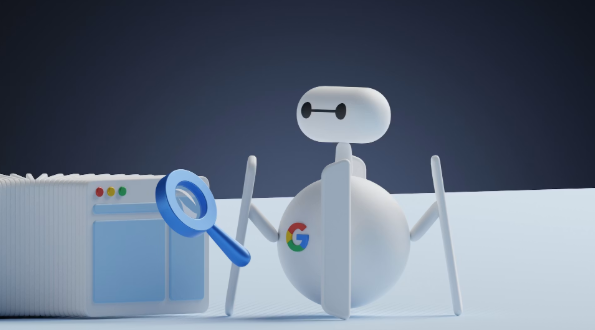
Crawlability refers to how easily search engines can access and navigate the pages on your website. Before Google can rank your content, it first needs to find it, and it does that by sending automated bots (known as Googlebot) to crawl your site, following links from page to page.
If those bots can’t access your pages, those pages don’t exist as far as Google is concerned.
Several factors directly affect your website’s crawlability:
Crawl budget
Crawl budget is one of the most important and most overlooked. Google doesn’t crawl every page on your site every time. It allocates a crawl budget based on your site’s authority and size, meaning it decides which pages are worth crawling and how often. If your crawl budget is being wasted on low-value pages – thin content, duplicate URLs, or outdated pages – your important pages may not get crawled at all.
Robots.txt file
Your robots.txt file tells search engines which parts of your site they’re allowed to access. A misconfigured robots.txt can accidentally block Googlebot from crawling key pages, quietly killing your rankings without any obvious warning.
Internal linking
Internal linking plays a bigger role than most people realise. If a page has no links pointing to it from elsewhere on your site, crawlers may struggle to find it – no matter how good the content is.
Broken links and crawl errors
Broken links and crawl errors waste crawl budget and signal poor site health. A clean, well-structured site is easier and faster to crawl, which means more of your pages get seen.
The goal is to make it as easy as possible for search engines to find, access, and navigate every page that matters on your site.
What Is Indexability in SEO?
Indexability is what happens after crawling. Once a search engine has visited your page, indexability determines whether it can store and display that page in its search results.
The most common indexability issues include:
Noindex tags
Noindex tags are the biggest culprit. A noindex meta tag tells Google not to include a page in its index. This is useful when used intentionally – on thank you pages, admin pages, or duplicate content – but it’s surprisingly easy to accidentally apply to pages you actually want ranking. A noindex tag left on a page after a site launch is one of the most common technical SEO mistakes we see.
Duplicate content
Duplicate content can cause Google to index one version of a page and ignore others, or to consolidate pages in ways you didn’t intend. Canonical tags tell Google which version of a page should be treated as the primary one; without them, you’re leaving that decision to the algorithm.
XML sitemaps
XML sitemaps make a significant difference to SEO indexing. Submitting a sitemap through Google Search Console signals which pages you want indexed, helping Google prioritise the right content – particularly on larger sites or newly published pages.
Blocked resources
Blocked resources such as JavaScript or CSS files can prevent Google from rendering your page correctly. If the crawler can’t see your page the way a user does, it may not index it accurately.
Why Do Crawlability and Indexability Matter?
Because if search engines can’t access and process your pages, nothing else in your SEO strategy matters.
You can invest in great content, build strong backlinks, and nail your on-page optimisation, but if your pages aren’t being crawled and indexed correctly, none of it will show up in search results. Crawlability and indexability are the technical SEO foundations everything else is built on.
They determine whether you rank at all. Website ranking on Google starts with Google being able to find and store your pages. A page that isn’t indexed simply doesn’t exist in search results, no matter how well optimised it is.
They affect how quickly new content gets discovered. Poor technical SEO foundations mean delays, sometimes weeks, before new content has any chance of ranking.
They’re among the most overlooked SEO ranking factors. An SEO audit frequently uncovers crawl and indexing problems that have been quietly undermining performance for months.
They compound over time. A site with clean crawlability signals accumulates authority more efficiently. One with technical issues bleeds crawl budget on the wrong pages and loses ground to competitors who’ve got the basics right.
If your SEO isn’t performing the way you’d expect, the first place to look is whether Google can actually see your site properly.
Common Crawlability and Indexability Issues (And How to Fix Them)
Most crawl and indexing problems fall into a handful of recurring categories. Here’s what to look for, and what to do about it.
Misconfigured robots.txt
A single misplaced rule can accidentally block Googlebot from entire sections of your site, including pages you want ranking. Fix: Review your robots.txt and use Google Search Console’s URL Inspection tool to confirm key pages are accessible.
Accidental noindex tags
A noindex tag left on after a site launch is a silent ranking killer — and more common than you’d think. Fix: Crawl your site with a tool like Screaming Frog to surface any pages carrying an unintentional noindex directive, particularly after a redesign or go-live.
Duplicate content
Duplicate content splits your ranking signals and wastes crawl budget on pages that add no value. Fix: Use canonical tags to tell Google which version of a page is primary, and ensure consistent URL structures across the site.
Wasted crawl budget
Thin content, filtered URLs, and outdated pages eat into the crawl budget Google allocates to your site. Fix: Use your XML sitemap to steer Google toward important pages and block low-value URLs in robots.txt.
Soft 404 errors
Pages returning a 200 OK status with no real content still consume crawl budget and get dropped from the index. Fix: Use the Page Indexing report in Google Search Console to identify soft 404s, then redirect, restore, or return a proper 404 status.
Slow page speed
Slow pages take longer to crawl, meaning fewer pages get processed within your crawl budget. Fix: Run a page speed audit via Google PageSpeed Insights – image compression, caching, and reducing JavaScript are common quick wins.
Redirect chains
A 301 redirect passes link equity, but chains slow crawling and dilute signals. Fix: Audit your redirects and ensure every old URL points directly to its final destination – no hops.

How to Check If Your Pages Are Being Crawled and Indexed
You don’t need to guess whether Google can see your pages; the data is available if you know where to look.
Google Search Console
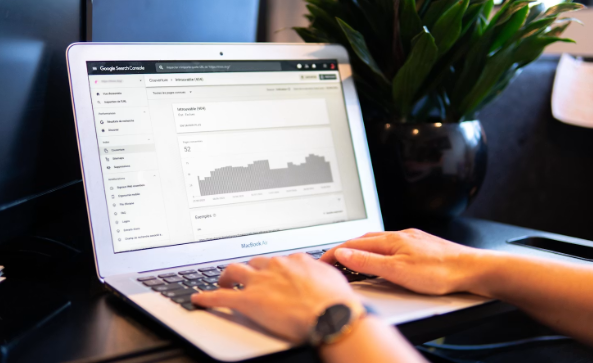
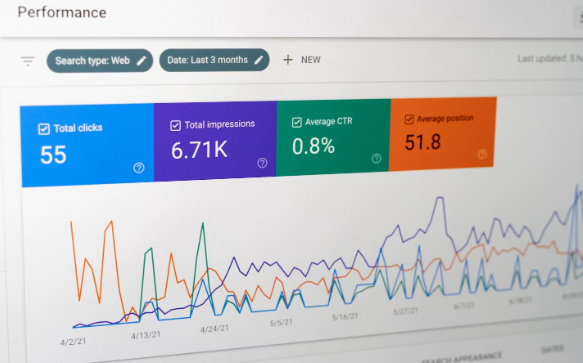
Google Search Console is the most important tool here and the first place to check. The Page Indexing report shows exactly which pages are indexed, which aren’t, and crucially – why. If you’re not checking this regularly, you’re flying blind.
URL Inspection tool
The URL Inspection tool within Google Search Console lets you check individual URLs. It tells you whether a page is indexed, when it was last crawled, how Google rendered it, and whether any issues were detected. For newly published pages or pages you’ve recently updated, this is the fastest way to confirm Google has picked up the changes.
Screaming Frog
Screaming Frog is the tool of choice for a deeper technical crawl. It mirrors how Googlebot navigates your site – surfacing broken links, redirect chains, missing meta data, accidental noindex tags, and pages that aren’t being linked to internally. Running a Screaming Frog crawl alongside your Google Search Console data gives you a complete picture of your site’s crawl health.
The “site:” search
The site: search is a quick google index checker for a surface-level sense check. Type site:yourdomain.com into Google and you’ll see which pages are currently indexed. It won’t give you the full picture, but it will quickly flag if something is significantly wrong.
For ongoing monitoring, set up regular checks in Google Search Console rather than treating this as a one-time task. Crawl and indexing issues can appear after site updates, CMS changes, or plugin conflicts – catching them early limits the damage.

How a Digital Marketing Agency Can Fix Your Technical SEO Issues
Technical SEO is one of the areas where professional expertise makes the biggest difference. The issues aren’t always obvious, and the fixes, done incorrectly, can make things worse.
A technical SEO agency brings a structured approach that goes beyond surface-level checks. Rather than fixing individual issues in isolation, a specialist looks at how your site’s crawlability and indexability fit into your broader SEO performance, and builds a prioritised roadmap that addresses root causes.
For most businesses, the case for working with an SEO company comes down to three things:
Speed. Technical issues left undiagnosed cost you rankings every day they’re present. Professional SEO services identify and resolve problems faster than an in-house team building knowledge from scratch.
Accuracy. A misconfigured robots.txt or incorrectly implemented canonical tag can do real damage. An experienced SEO consultant knows what to look for and how to fix it without creating new problems in the process.
Ongoing performance. Crawlability and indexability aren’t one-time fixes; they require monitoring as your site evolves. A digital marketing agency provides the consistent oversight that keeps your technical foundations solid as you publish new content, update pages, and grow.
At Arise, our technical SEO services cover everything from initial audits through to ongoing monitoring and implementation – making sure Google can always find, crawl, and index the pages that matter to your business.
Want to know if technical issues are holding your site back?
Get in touch with our SEO team today to see how Arise can help you reach your goals.

Frequently Asked Questions
What is crawlability in SEO?
Crawlability is how easily search engine bots can access and navigate your website. If Googlebot can’t reach a page, due to a blocked robots.txt or broken links, that page can’t be ranked, no matter how good the content is.
What is indexability in SEO?
Indexability is whether Google can store and display your page in search results after crawling it. Common causes of indexability issues include noindex tags, duplicate content, and blocked resources. You need both crawlability and indexability working correctly for a page to rank.
What is the difference between crawlability and indexability?
Crawlability is about access – can Google find and visit your page? Indexability is what happens next – can Google include it in search results? A page that’s crawled but not indexed won’t rank. A page that’s indexed but poorly crawled may not be processed accurately.
What is a sitemap and why does it matter?
An XML sitemap lists the pages on your site you want search engines to index. Submitting it via Google Search Console helps Google prioritise your most important content, especially useful for new pages or large sites with content that isn’t well-linked internally.
What is crawl budget?
Crawl budget is the number of pages Googlebot will crawl on your site within a given timeframe. If it’s being spent on thin content, duplicate URLs, or redirect chains, your important pages may not get crawled as frequently as they should.
Why is my website not showing on Google?
Your pages may not be indexed yet, could have a noindex tag applied, or may be blocked in robots.txt. Google Search Console’s Page Indexing report is the fastest way to diagnose why your website isn’t showing on Google.
What is technical SEO?
Technical SEO covers the behind-the-scenes elements that affect how search engines crawl, index, and rank your pages – including site speed, crawlability, indexability, URL structure, and mobile performance. It’s the foundation everything else is built on.
How long does Google take to index a page?
Anywhere from a few hours to several weeks, depending on your site’s authority and how frequently it’s crawled. Using the URL Inspection tool in Google Search Console can speed up indexing for newly published or updated pages.