Every business gets asked the same questions on repeat. What time is check-in? Is there parking? Do you allow dogs? How much does it cost?
Answering them once is good customer service. Answering them fifty times a week is a sign your website isn’t pulling its weight.
Picture this. It’s 11pm and someone is on your website, ready to book. They just need to know one thing: can they bring the dog? They scroll, they click around, they can’t find it. So they close the tab and book somewhere that told them straight away.
That’s where FAQs come in. In this guide, we’ll cover what FAQs are, what a FAQ page is, why your website needs one and how to write an FAQ page that genuinely helps your customers (and your search visibility while it’s at it).
What are FAQs?
FAQs, short for frequently asked questions (whether you say F-A-Q or “fak” is between you and your conscience), are the questions customers ask most often about your business, products or services, each paired with a clear, direct answer.
They can sit on a dedicated FAQ page or appear in smaller sections across your website, wherever a question is most likely to come up. FAQs to boost SEO for hotels might cover check-in times, parking and cancellation policies, while a B2B service business might answer questions about pricing, contracts and timescales.
Good FAQs do more than tick a box. They anticipate what people need to know before they commit, answer it in plain language and save them from hunting around your site to find it.

What is a FAQ page?
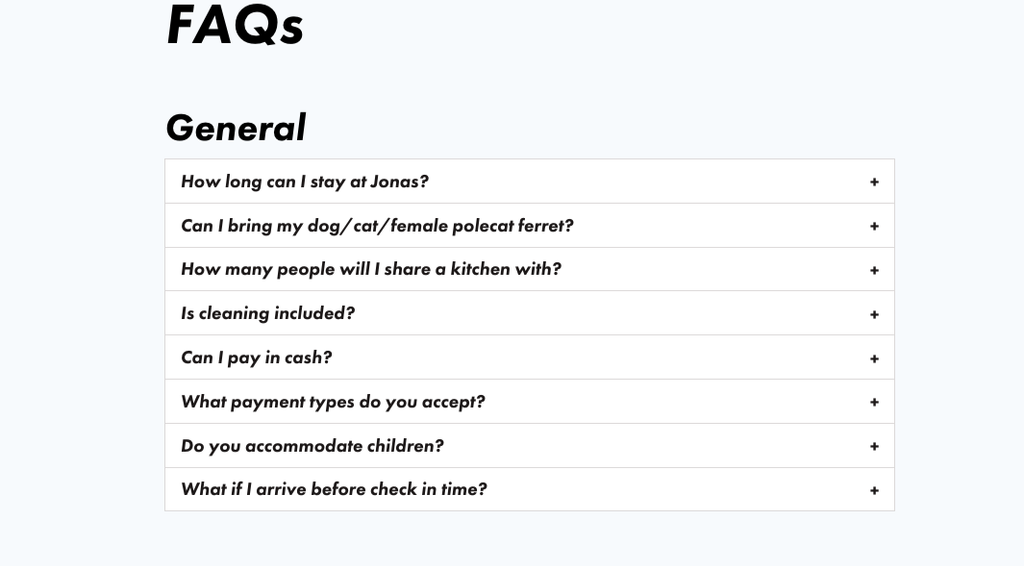
A FAQ page is a dedicated page on your website that brings your most common questions and answers together in one place. Think of it as your reception desk, open 24 hours a day and never tired of being asked where to park.
FAQs don’t have to live on one page, though. Many websites also add shorter FAQ sections to individual pages, so the answer sits right next to the question it relates to. A wedding venue might have FAQs about guest numbers on its weddings page, while its general FAQ page covers things like accessibility and how to get there.
So which do you need? Usually both.
- A standalone FAQ page works best for general questions that apply across your business, such as opening times, policies, payment, location and accessibility. It’s also a handy place for customers who go looking for answers specifically.
- FAQ sections on individual pages work best for questions tied to a particular product, service or room type. They catch people at the moment they’re deciding, without sending them off somewhere else to find the answer.
The key is to avoid repeating the same questions word for word in lots of places. Keep each answer where it’s most useful, and link between pages where it makes sense.
Why your website needs an FAQ page
It’s easy to treat an FAQ page as an afterthought, something you add once the “important” pages are done. But a well-written FAQ page does a surprising amount of heavy lifting.
It answers questions before they become objections
Most people don’t contact a business to ask a question. They just leave. If someone can’t quickly find out whether you offer parking, how your pricing works or what happens if they need to cancel, that uncertainty becomes a reason not to book or buy. An FAQ page removes those small sticking points and makes saying yes a lot easier.
It saves your team time
If your team is answering the same emails, calls and messages every day, those questions belong on your website. Putting the answers in one clear place means fewer repeat enquiries, and more time for the conversations that genuinely need a human.
It builds trust
Being upfront about the things people worry about, like pricing, policies, restrictions and the slightly awkward stuff, shows you’ve got nothing to hide. This is a big part of the thinking behind Marcus Sheridan’s They Ask, You Answer: the businesses that answer their customers’ questions most honestly and openly are the ones that earn their trust. Your FAQ page is one of the easiest places to put that into practice.
It helps you show up in search and AI answers
People don’t just type keywords into Google anymore. They ask full questions, and increasingly they ask them to AI tools too. Clear, well-structured question-and-answer content gives search engines and AI platforms exactly what they’re looking for: a direct answer to a specific question. A good FAQ page can help you appear for longer, more specific searches that your main pages might never rank for, and give your business a better chance of being the answer when someone asks.

What is FAQ schema and does it still matter?
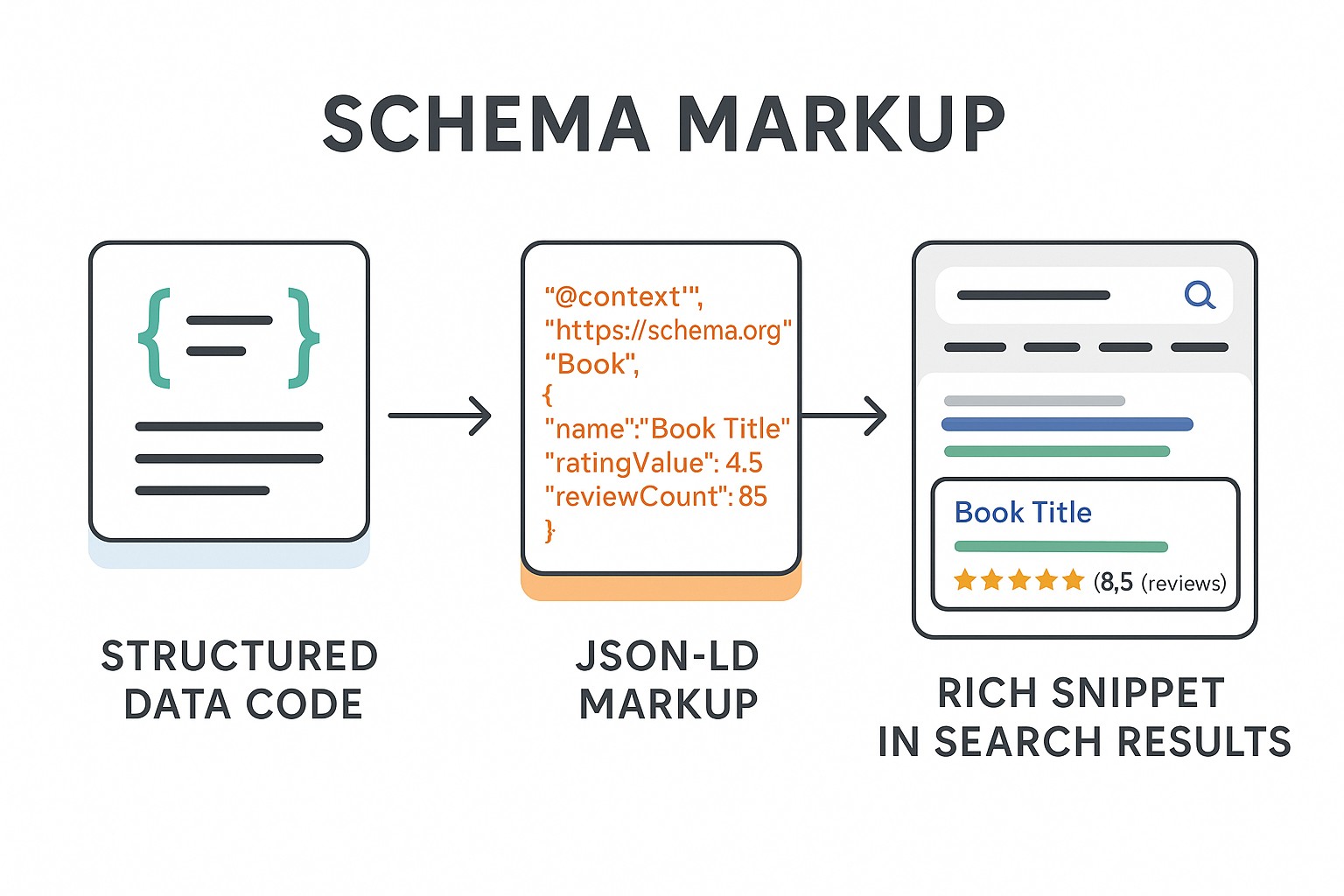
FAQ schema (or FAQPage structured data) is code, usually written in JSON-LD, that labels the questions and answers on a page. Rather than seeing a block of text, search engines and other tools can read it as a clear set of questions, each with its own answer.
For years, the big draw was the expandable dropdowns it could trigger in Google’s search results. That’s no longer the case. For most sites, those disappeared in 2023, and on 7 May 2026 they stopped appearing in Google Search altogether.
So is it still worth adding? We think so, for a few reasons:
- Google still reads it. Google will continue to use FAQ structured data to better understand pages, even without the visual display.
- It’s not just about Google. Other search engines and AI systems may still read and use the markup.
- It does no harm, if done properly. Valid markup causes no problems, as long as it reflects what’s actually visible on the page.

How to write an FAQ page
The best FAQ pages feel less like a policy document and more like a helpful conversation. Here’s how to get there.
Start with real questions
Your FAQ page should answer the questions people actually ask, not the ones you’d like them to ask. The good news is you probably already have them. Look at:
- Your inbox, contact form enquiries and live chat history
- Questions your sales or front-of-house team hear every day
- Reviews, especially the slightly grumpy ones
- Google Search Console, which shows the searches people use to find you
- “People also ask” boxes in Google for your products or services
Lead with the answer
Answer the question in the first sentence, then add detail afterwards. If someone asks whether you’re dog friendly, start with “Yes” (or “No”), not a paragraph about your history. It’s better for your readers, and it’s exactly the kind of clear, direct answer that search engines and AI tools look for.
Group questions by topic
A long, unsorted list of questions quickly turns into a scroll-fest. Group them into clear categories, such as bookings, payments, facilities or delivery, so people can jump to what they need.
Link to the pages that help them take the next step
An FAQ answer shouldn’t be a dead end. If you mention your cancellation policy, link to it. If you answer a question about meeting rooms, link to your meetings page. Every answer is a chance to move someone closer to booking, buying or getting in touch.
Keep it updated
Prices change, policies change and new questions crop up. An out-of-date answer is worse than no answer at all, so set a reminder to review your FAQ page every few months.
Example: FAQ page ideas for hotels
If you run a hotel, your guests are probably asking:
- What time is check-in and check-out?
- Is there parking, and is it free?
- Are dogs welcome?
- Is there an age limit for the spa?
- Can I book a table at the restaurant if I’m not staying?
- How do I get to you by public transport?
Every one of these is a potential booking that could stall if the answer isn’t easy to find.

Not sure what your customers are asking?
We can help you find out. As part of our SEO services, our team digs into your Search Console data, keyword research and enquiry trends to uncover the questions your audience is searching for, then helps you answer them in a way that works for people and search engines alike.

FAQs
How many questions should an FAQ page have?
There’s no magic number. Aim to cover every question your customers genuinely ask, and no more. For most businesses, that’s somewhere between 10 and 30 questions, grouped into clear categories so the page stays easy to scan.
Should FAQs go on a separate page?
Usually, you’ll want both. A standalone FAQ page works well for general questions about your business, while FAQ sections on individual pages answer questions about specific products or services at the moment people are deciding.
Does FAQ schema still work?
Yes, though not in the way it used to. Google stopped showing FAQ rich results in May 2026, but it still uses FAQ structured data to understand pages, and other search engines and AI tools may still read it too.
Where should an FAQ page sit on my website?
Somewhere easy to find. Most websites link to their FAQ page in the main navigation, the footer or both, and link to relevant answers from service, booking and contact pages.
How often should I update my FAQ page?
Review it every few months, and whenever your prices, policies or services change. If your team starts hearing a new question regularly, add it.